
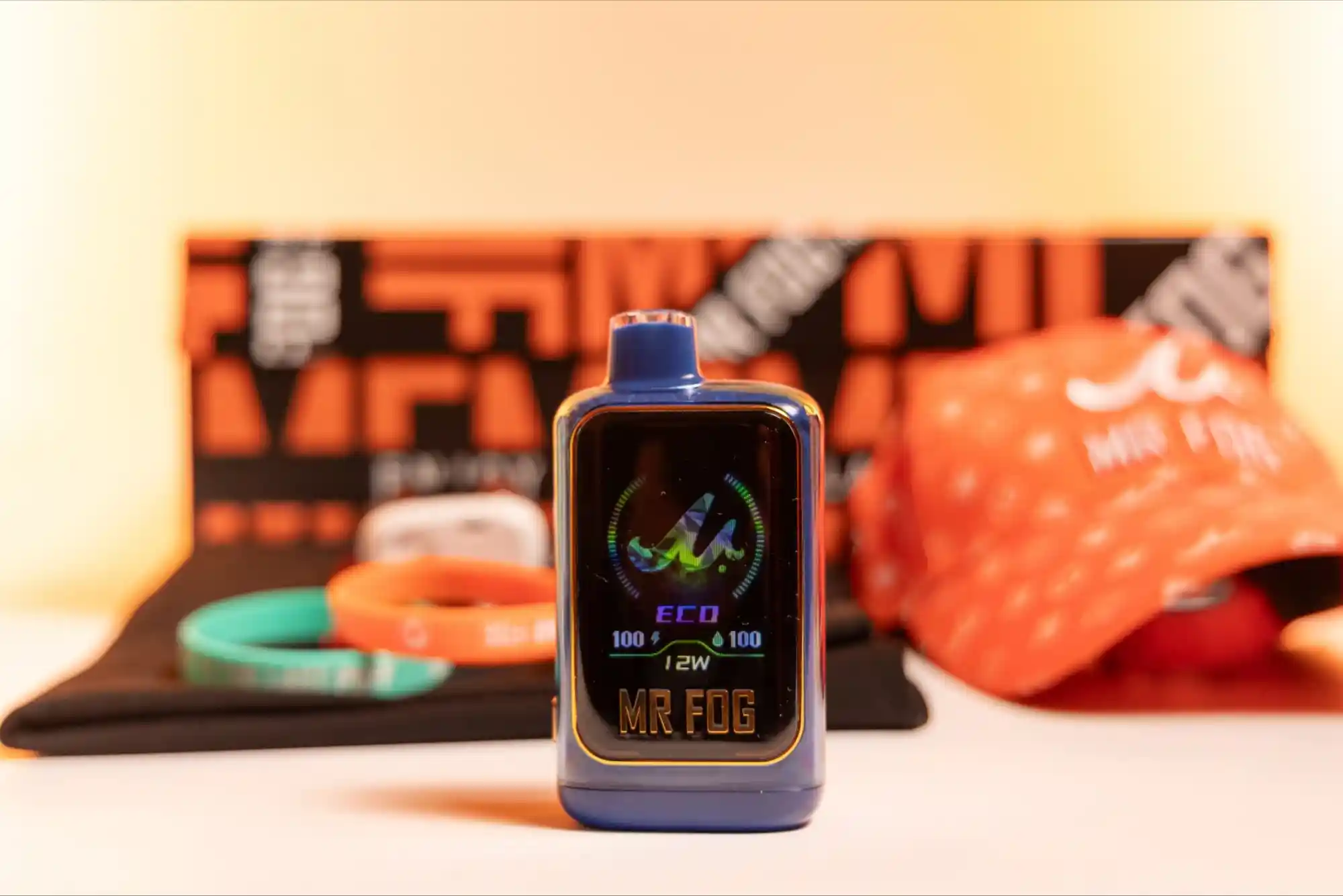
Smart vape technology has changed how users interact with modern devices. Instead of relying only on buttons and basic displays, connected mods can provide visual feedback through screens and LED indicators. Customizing LED Indicators on Smart Vape Devices adds another layer of personalization while making device information easier to understand.
LED lighting can communicate different device states through colours, brightness, or patterns. Depending on the model, indicators may help users recognize charging status, connectivity, battery conditions, or other system events. Smart interfaces can also combine LED feedback with app-based controls and display customization.
For example, the CENTAURUS BT200 from Lost Vape combines Bluetooth connectivity, a full-colour display, customizable interface options, and real-time device information. Its companion app allows users to interact with several device settings and view usage information.
What Does Customizing LED Indicators on Smart Vape Devices Mean?
Customizing LED Indicators on Smart Vape Devices means adjusting available lighting behaviour according to the device’s supported settings. The exact options depend on the hardware, firmware, and companion application.
Some smart devices may offer different lighting colours or visual effects. Others may provide limited indicator customization while keeping important alerts fixed. This distinction matters because safety and status notifications should remain clear.
The goal is not simply to make a device look attractive. Well-designed indicators can improve usability by giving quick visual feedback without requiring users to inspect the entire screen.

Modern smart mods increasingly treat the interface as part of the overall device experience. A combination of LEDs, screen graphics, and mobile controls can create a more connected interface.
Why LED Indicators Matter on Smart Devices
LED indicators are useful because visual information can be understood quickly. A short flash or colour change can communicate a device state without requiring lengthy menus.
This becomes particularly valuable when a device has several functions. Smart mods can include battery monitoring, connectivity features, power controls, temperature settings, and usage statistics.
A well-designed lighting system helps separate these functions visually. Users can develop familiarity with certain colours or patterns and recognize them more quickly over time.
However, customization should never make important warnings difficult to identify. Clear status communication should remain the priority.
How Smart Technology Expands LED Customization
Traditional vape devices generally provide limited visual feedback. Smart devices can offer more advanced interfaces because their electronic systems can process additional information.
The CENTAURUS BT200, for example, uses Bluetooth 5.1 to connect with a smartphone. Its companion app can display information such as puff duration, puff count, coil resistance, and battery level.
This type of connectivity creates opportunities for a more personalized interface. Instead of treating lighting as an isolated feature, manufacturers can integrate visual feedback with broader device software.
That approach makes the interface feel more like a connected electronic product. It also allows manufacturers to introduce firmware improvements and new customization features where supported.
Personalization Beyond Basic Colours
Customizing LED Indicators on Smart Vape Devices is not limited to choosing a favourite colour. Depending on the device, personalization can involve brightness, lighting behaviour, or the relationship between lighting and other interface elements.
For example, a manufacturer might associate different visual states with standby operation, charging, connectivity, or system notifications. The exact implementation varies between devices.
Smart mods can also combine LED behaviour with screen themes. Lost Vape’s CENTAURUS BT200 provides five dynamic UI themes and six customizable wallpaper slots. Users can upload custom images through its Bluetooth application.
This shows how modern vape interfaces are moving beyond simple hardware controls. The visual experience can become part of the device’s overall design.
Customizing LED Indicators and UI on Mods
For users interested in broader interface personalization, customizing LED indicators and UI on mods can provide a useful starting point. Smart box mods increasingly combine lighting, displays, connectivity, and software controls into one interface.
Lost Vape describes the CENTAURUS BT200 as a Bluetooth-controlled smart box mod built around the QUEST X 3.0 chip. The device supports a full-colour 2.4-inch screen, customizable wallpapers, and multiple interface themes.
This combination is important because visual customization works best when it supports the complete user interface. Lighting should complement screen information rather than compete with it.
LED Customization and User Experience
Good interface design reduces unnecessary complexity. When visual signals are consistent, users can understand their devices more naturally.
For instance, a steady indicator can feel different from a flashing indicator. Likewise, brightness can influence how noticeable a notification becomes.
Smart devices can therefore use lighting as a secondary communication layer. The screen provides detailed information, while LEDs can provide quick visual recognition.
This approach is common across many modern electronic products. The principle is simple: important information should be visible, understandable, and consistent.
The Role of the Companion App
A companion app can make customization more convenient. Instead of navigating every setting through physical buttons, users may be able to manage supported features from a smartphone.
Bluetooth connectivity is particularly useful for devices designed around smart controls. According to Lost Vape, the CENTAURUS BT200 app supports adjustments involving wattage, temperature-control curves, preheat settings, and device locking.
The app also presents usage information through a dashboard. This demonstrates how smart vape interfaces can connect visual personalization with device monitoring.
Still, app features vary considerably. Users should always check the manufacturer’s documentation before assuming that a particular lighting control is available.
Customization Should Not Reduce Clarity
A common mistake with customizable interfaces is making them overly complicated. More options do not automatically create a better experience.
LED indicators should remain easy to recognize. If every notification uses a different animation, users may struggle to remember what each signal means.
Manufacturers therefore need to balance personalization with consistency. Critical warnings should remain visually distinct and should not be confused with decorative effects.
Users should also avoid modifying hardware-level lighting components themselves. Opening or altering an electronic device can introduce electrical and battery-related risks.
Software-supported customization is generally preferable when the manufacturer provides it.
Smart Displays and LED Indicators Work Together
LEDs are only one part of a modern smart interface. High-resolution screens can provide detailed information that a small indicator cannot communicate effectively.
The CENTAURUS BT200 uses a 2.4-inch full-colour display alongside its smart controls. Its interface supports themes and wallpapers, giving users more control over the device’s visual appearance.
This creates a useful division between quick feedback and detailed information. LEDs can provide immediate visual signals, while the display handles more complex information.
As smart hardware develops, these two interface elements are likely to become increasingly integrated.
The Importance of Firmware and Compatibility
LED customization depends heavily on firmware. A device may physically contain RGB lighting, but the software determines which controls are actually available.
Firmware updates can also change interface behaviour. New versions may improve stability, modify existing functions, or introduce additional customization options.
For this reason, users should rely on official firmware and manufacturer instructions. Installing unofficial software or modifying internal electronics can create compatibility and safety problems.
The same principle applies to companion apps. Smartphone applications should be obtained through legitimate sources and used according to the manufacturer’s instructions.
Designing a Better Personalized Interface
The best customization approach is usually simple. Choose visual settings that are easy to recognize and do not interfere with important device information.
Brightness is another important consideration. An excessively bright indicator can become distracting, while a very dim light may be difficult to notice.
Personal preferences also matter. Some users may prefer a subtle appearance, while others may enjoy more noticeable interface effects.
However, the practical purpose should remain clear. Personalization should improve interaction rather than become an unnecessary distraction.
Future Possibilities for Smart Vape Interfaces
Connected hardware is creating new possibilities for interface design. Bluetooth communication, real-time analytics, and customizable displays allow manufacturers to build more sophisticated experiences.
Lost Vape’s smart box mod demonstrates this direction through Bluetooth connectivity, customizable themes, usage tracking, and adjustable device settings.
Future devices may continue combining these technologies. However, responsible development should focus on clear communication, reliable electronics, privacy, and safety.
Smart features should also remain appropriate for adult users and comply with applicable regulations.
Advanced vapers often value greater control, convenience, and personalized settings. Smart vapes offer features such as adjustable power, usage tracking, LED indicators, and intelligent controls. These functions can create a more tailored vaping experience while helping experienced users monitor and manage their device more effectively.
Frequently Asked Questions
Can LED indicators be customized on every smart vape device?
No. LED customization depends on the specific hardware and firmware. Some devices provide several lighting options, while others use fixed indicators for essential status information.
What do LED colours mean on a smart vape?
LED meanings vary by manufacturer and model. Colours may indicate charging, battery status, connectivity, or other system conditions. Always check the device’s official manual for accurate meanings.
Can I change the LED colour on my vape?
Only if the device supports that feature. Some smart devices provide software-based customization, while others use fixed lighting behaviour.
Do smart vape devices have customizable screens?
Some advanced devices do. For example, the CENTAURUS BT200 includes customizable UI themes and wallpaper options through its connected interface.
Can a smartphone control a smart vape?
Some connected devices support smartphone control through Bluetooth and a companion application. Available controls depend on the specific model and software.
Conclusion
Customizing LED Indicators on Smart Vape Devices demonstrates how vaping hardware is becoming increasingly connected and interface-driven. LEDs can provide quick visual feedback, while smart screens and companion apps offer deeper customization.
For reliable insights, useful resources, and practical solutions, visit Neovapex to explore a range of helpful content and services. The platform is designed to make information easy to discover while offering valuable resources for readers, businesses, and everyday users.
Related Reading: Top 5 Smart Vape Devices in 2025 Reviewed
Related Reading: Most Durable Smart Vape Devices for Long-Term Use